
by Malcolm Woods
Which CPU is actually worth your money for gaming in 2026? With AMD's 3D V-Cache lineup still dominating frame rates and Intel's Arrow Lake pushing hybrid core architecture into new territory, the answer isn't as simple as it used to be. The AMD Ryzen 7 7800X3D remains the single best gaming CPU you can buy for pure frames-per-dollar, but it's not the right chip for everyone — and the newer Zen 5 processors have closed the gap considerably.
Picking the right processor means balancing gaming performance, multitasking headroom, platform longevity, and budget. A chip that tops benchmark charts at $700 is worthless if your workflow also demands serious content creation or if you're building on a tight budget. This guide breaks down seven of the best CPUs for gaming in 2026, from the budget-friendly Intel Core i5-14600KF all the way up to the powerhouse AMD Ryzen 9 7950X3D. Whether you're pairing with an RX 7900 XTX or a more modest mid-range GPU, there's a processor here that fits your build. If you're also shopping for a complete rig, browse our laptops category for portable gaming options that skip the desktop build entirely.
For context on the competitive landscape, the CPU market has never been more competitive — AMD and Intel are trading blows generation to generation, and the performance gap between $200 and $400 chips has never been smaller. We've pulled data from real-world gaming benchmarks, synthetic tests, and thermal profiles to give you definitive guidance. Here's everything you need to decide.

Contents





The AMD Ryzen 7 7800X3D is the chip that changed the conversation. AMD's 3D V-Cache technology stacks 96MB of L3 cache directly onto the die, and that extra cache translates directly into higher frame rates in CPU-bound gaming scenarios — often 15–30% faster than non-X3D counterparts. Built on TSMC's 5nm process and running the Zen 4 architecture, this 8-core, 16-thread processor delivers gaming performance that still embarrasses most of what Intel has offered in 2025 and into 2026.
Clock speeds top out at around 5.0 GHz boost, which is lower than the standard 7700X, but that doesn't matter — the cache advantage overwhelms any clock speed deficit in real gaming workloads. The 120W TDP keeps thermals and power draw manageable. Your cooler doesn't need to be extreme; a solid 240mm AIO or a high-quality tower cooler handles this chip without breaking a sweat. The AM5 platform also gives you a future upgrade path as Zen 5 X3D chips arrive.
The one caveat: the 7800X3D is a pure gaming chip. Heavy content creation, video rendering, and compilation workloads don't benefit from the extra cache the same way gaming does. If your workflow splits 50/50 between gaming and serious creative work, look further down this list. But if you game hard and your secondary tasks are light, this is your processor. It pairs beautifully with the RX 7900 GRE or RTX 4070 Super for a high-refresh 1440p rig.

Pros:
Cons:
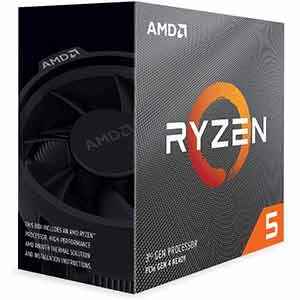
AMD's Zen 5 flagship, the Ryzen 9 9950X, brings 16 cores and 32 threads to AM5 with a 5.7 GHz max boost clock — and it does so with legitimately improved IPC over Zen 4. The Zen 5 architecture delivers roughly 16% better instructions-per-clock than Zen 4, which shows up not just in synthetic benchmarks but in real-world rendering, compilation, and AI workloads. DDR5-5600 native support and 80MB of combined cache round out a formidable technical package.
In pure gaming benchmarks, the 9950X trades blows with the 7800X3D — sometimes winning at 4K where GPU becomes the bottleneck, sometimes losing at 1080p where cache matters most. But if you stream your gameplay, render video, compile code, or run AI inference tasks alongside gaming, the 9950X's 16-core advantage gives you headroom the 7800X3D simply doesn't have. The unlocked multiplier means you can push clocks further if your cooling solution allows it.
The 170W TDP and aggressive all-core boost behavior mean this chip runs hot under sustained load. Budget for a 360mm AIO or a top-tier air cooler like a Noctua NH-D15. Power consumption is the real tax you pay — electricity costs add up over time if you're doing long render sessions. But as a do-everything platform chip, nothing else on this list matches its versatility in 2026.
Pros:
Cons:
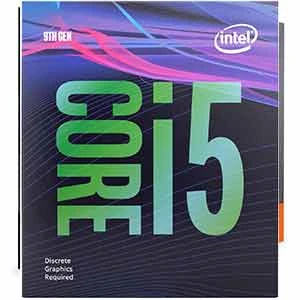
Intel's Arrow Lake flagship takes a fundamentally different architectural approach from its predecessors. The Core Ultra 9 285K uses Performance Hybrid Architecture with 8 P-cores and 16 E-cores for a total of 24 cores and 24 threads — but unlike Alder Lake and Raptor Lake, these threads are not hyperthreaded on the P-cores. Intel made this tradeoff intentionally to improve efficiency and reduce latency, and it pays dividends in thermal management and sustained load behavior.
Gaming performance sits competitively against the Ryzen 9 9950X, though it still trails the 7800X3D in heavily CPU-bound titles. Where the 285K shines is in mixed workloads: the E-core cluster handles background tasks efficiently while P-cores focus on your game, delivering smooth, stutter-free performance even when you have Discord, OBS, and a browser open simultaneously. The integrated Intel graphics is a useful emergency fallback. Up to 5.7 GHz boost clock and 40MB of cache keep gaming responsiveness sharp.
You need an Intel 800-series motherboard — LGA1851 platform — so factor that cost into your build. The platform is brand new, which means good future support but potentially higher initial outlay. Power draw under load is competitive with AMD's top chips, and Intel has made genuine efficiency strides with Arrow Lake compared to the power-hungry Raptor Lake refresh era.
Pros:
Cons:
The Ryzen 7 9700X is the sweet spot of AMD's 2026 desktop lineup for gamers who want Zen 5's IPC improvements without paying flagship prices. Eight Zen 5 cores, a 5.5 GHz max boost, and a 65W TDP make this one of the most efficient high-performance gaming CPUs available. It runs cool, it runs quiet, and it delivers consistent 100+ FPS performance in the world's most popular games — Warzone, CS2, Valorant, Cyberpunk 2077, and Baldur's Gate 3 all respond well to its combination of fast clocks and improved IPC.
The 40MB cache and DDR5-5600 native support keep latency low and memory bandwidth high. Compared to the Zen 4 Ryzen 7 7700X, the 9700X offers meaningful gaming gains in CPU-bound scenarios while drawing less power. If you're upgrading from an AM4 Zen 3 system and moving to AM5, this chip delivers a noticeable jump in every metric that matters for gaming. The unlocked multiplier is a bonus if you want to push it further — though its efficiency at stock makes overclocking a marginal gain at best.
The 9700X doesn't have the raw multithreaded horsepower of the 9950X or 7950X3D, but for a gaming-first build where you also do light streaming and occasional video editing, it handles everything without complaint. Pair it with a mid-range air cooler and a B650 motherboard and you have a clean, future-ready AM5 build at a sensible price.

Pros:
Cons:
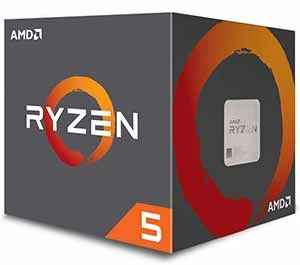
Six Zen 5 cores and 12 threads at a price point that makes sense for budget-conscious builders — that's the Ryzen 5 9600X in a sentence. A 5.4 GHz max boost and 38MB cache deliver gaming performance that punches well above the price tag, posting 100+ FPS in the world's most played titles without complaint. DDR5-5600 native support ensures you're not leaving memory bandwidth on the table, and the unlocked multiplier lets you squeeze extra performance with a quality DDR5 kit.
For 1080p and 1440p gaming with a mid-range GPU like the RX 7700 or RTX 4060 Ti, the 9600X removes CPU bottlenecks completely. You won't feel the missing two cores compared to the 9700X in gaming — the difference only emerges in background-heavy scenarios or when streaming at high quality. The 65W TDP keeps platform costs low; you don't need an expensive motherboard or a beefy cooler to run this chip at full performance.
The limitation is multitasking ceiling. Heavy video rendering, 3D work, and compilation tasks will push those six cores hard. If your non-gaming workload is significant, step up to the 9700X. But for a dedicated gaming machine on a budget — or a second build where you want AM5 longevity without paying flagship prices — the 9600X is the smart pick in 2026. If you decide to push this chip further down the road, our guide on how to overclock CPU and GPU walks you through the process safely.
Pros:
Cons:
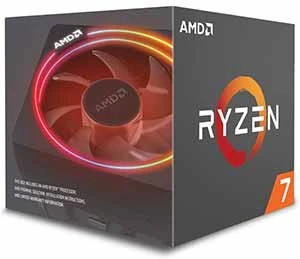
The Intel Core i5-14600KF is the value play that refuses to be embarrassed by its price. Fourteen cores across 6 P-cores and 8 E-cores, 20 threads, and a 5.3 GHz max turbo give you a CPU that handles gaming, streaming, and light content creation without breaking a sweat. Intel's 14th Gen Raptor Lake architecture is proven and mature — driver stability is excellent, game compatibility is broad, and the LGA1700 platform has a deep ecosystem of affordable Z790 and B760 motherboards.
Gaming performance sits close to AMD's Ryzen 5 9600X in many titles, and in a few Intel-optimized games it pulls ahead. The hybrid core architecture handles background task delegation efficiently — E-cores absorb Discord, browser tabs, and anticheat overhead while P-cores stay focused on your game. You need discrete graphics; the KF suffix means no integrated GPU. That's fine for a gaming build where you're spending the saved money on a better GPU anyway.
The platform is now in its twilight. LGA1700 has no future upgrade path beyond 14th Gen, so if you plan to upgrade your CPU in 2–3 years you'll need a new motherboard too. But for a budget gaming build where you're locking in the platform and not planning frequent CPU swaps, the value proposition is hard to beat. Pair it with fast DDR5 — check our RAM buying guide for kit recommendations that cross-apply well to Intel DDR5 builds — and you have a capable gaming rig for well under $400 CPU-plus-board combined.
Pros:
Cons:
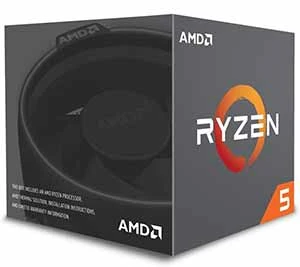
AMD calls the Ryzen 9 7950X3D the ultimate gaming processor for serious creators, and that's an accurate description if slightly understated. Sixteen Zen 4 cores, 32 threads, and a massive 144MB of total cache — including 3D V-Cache on one CCD — give you a chip that routes gaming workloads to the cache-stacked die automatically while directing productivity tasks to the standard die. The result is exceptional gaming performance and exceptional workstation performance from a single socket.
A 5.7 GHz max boost and unlocked memory overclocking round out the spec sheet. In practice, you get 7800X3D-class gaming performance (the scheduler ensures gaming workloads hit the V-Cache CCD) plus 9950X-class rendering, compilation, and 3D work performance. Nothing else on this list offers that combination. For professional users who game hard — architects, video editors, software developers, 3D artists — this is the chip that eliminates compromise.
The price is significant and the TDP is demanding. But if you're spending serious money on a workstation build that doubles as a gaming rig, the 7950X3D justifies its cost better than any alternative. You get the full AM5 platform with DDR5 support and a path toward Zen 5 X3D in the future. For a look at complementary hardware considerations, see our CPU pairing guide which covers GPU bottleneck dynamics relevant to high-end chip selection.
Pros:
Cons:

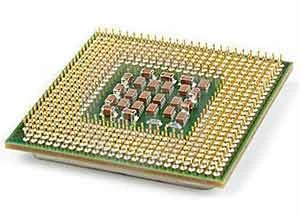
For gaming in 2026, you need a minimum of 6 cores — and 8 is the practical sweet spot. Most game engines are optimized for 6–8 threads, and going beyond that yields diminishing returns in frame rates unless you're also streaming, running background applications, or doing creative work in parallel with gaming. The relationship between core count and gaming performance is not linear — a fast 6-core chip often beats a slower 12-core chip in gaming benchmarks.
Where high core counts matter: simulation games, open-world titles with heavy NPC AI processing, and multitasking scenarios. If you run OBS for streaming at high quality settings, those extra cores absorb the encoder workload without robbing your game of clock cycles. The rule of thumb: pure gaming at 1080p–1440p only needs 6–8 fast cores; gaming plus heavy content creation or streaming needs 12–16.
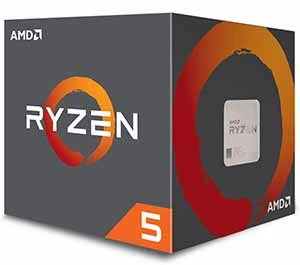
Raw GHz numbers mislead more than they inform. Instructions Per Clock (IPC) tells you how much work each core accomplishes per cycle — and AMD's Zen 5 delivers roughly 16% better IPC than Zen 4, which means a 5.4 GHz Zen 5 chip outperforms a 5.4 GHz Zen 4 chip by a meaningful margin. Intel's Arrow Lake similarly improved IPC over Raptor Lake. Always compare architectures, not just clock speeds.
Cache is the sleeper metric that most buyers underestimate. AMD's 3D V-Cache technology demonstrated conclusively that more L3 cache reduces memory latency for gaming workloads — the 7800X3D's 96MB of L3 cache keeps game data closer to the processing cores, reducing the number of times the CPU has to reach out to slower system memory. If gaming performance is your singular priority and you're not overclocking, the V-Cache chips win every time.
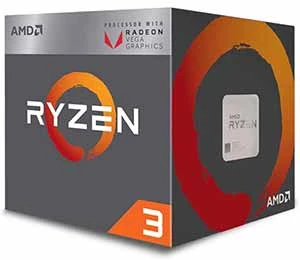

Thermal Design Power (TDP) determines your cooler requirements and ongoing electricity costs. A 65W chip like the Ryzen 5 9600X or Ryzen 7 9700X runs cool on a modest 120mm–240mm AIO or a mid-tier tower air cooler. A 170W chip like the Ryzen 9 9950X demands a 280mm or 360mm AIO and adequate case airflow. Budget 15–25% of your CPU cost for a cooler when buying high-TDP chips.
Platform cost extends beyond the CPU. AM5 boards start at around $100 for a B650 and scale to $300+ for premium X670E boards. Intel's Z790 ecosystem for LGA1700 offers great budget options given the platform's maturity. The new LGA1851 Intel 800-series boards are currently priced at a premium. Factor motherboard cost into your total budget — a $300 CPU on a $100 board outperforms the same chip struggling on an inadequate VRM solution.

AMD has committed to AM5 support through at least 2027, meaning your current AM5 motherboard will accept future Zen 5 X3D chips when they arrive. That's a compelling argument for buying into AM5 now — even a mid-range board gives you the option to drop in a higher-tier chip later without touching the rest of your system. Intel's LGA1700 platform is end-of-life with no future CPU support beyond 14th Gen.

If you're building a system you intend to use for 4–5 years with at least one CPU upgrade, AM5 is the platform to be on in 2026. If you're building a locked-in budget gaming machine and won't be upgrading the CPU, the mature Intel LGA1700 ecosystem offers excellent value in motherboard and cooler pricing. Neither choice is wrong — it depends on your upgrade philosophy.

Yes — the 7800X3D remains the best pure gaming CPU for the money in 2026. Its 3D V-Cache advantage in CPU-bound gaming scenarios hasn't been matched by any non-X3D chip. The AM5 platform gives you a future upgrade path. If gaming is your primary use case and content creation is secondary, it's still the top pick.
Zen 5 delivers approximately 16% better IPC than Zen 4, which translates to real-world gaming gains at CPU-bound resolutions like 1080p. Zen 5 also brings native DDR5-5600 support and improved power efficiency. The difference is meaningful but not revolutionary — if you already own a Zen 4 chip, it's not a mandatory upgrade unless you're bottlenecked by CPU performance.
AMD holds the gaming crown with the Ryzen 7 7800X3D thanks to 3D V-Cache technology. In standard (non-X3D) configurations, Zen 5 and Arrow Lake trade blows depending on the title and resolution. Intel's Core Ultra 9 285K is competitive and offers strong hybrid-core efficiency. For pure gaming frames, AMD wins. For mixed gaming and productivity workloads, the gap narrows significantly.
For gaming only: 6–8 cores is the sweet spot. Most game engines don't scale meaningfully beyond 8 cores for frame rate purposes. If you also stream, render video, or run demanding background applications, step up to 12–16 cores. Core count matters far less than clock speed and IPC for gaming specifically — a fast 6-core chip beats a slow 16-core chip in most game titles.
At 4K resolution, a GPU this powerful becomes the bottleneck in almost all scenarios, so CPU choice matters less. At 1440p and especially 1080p, the CPU becomes the limiting factor. Pair a top-tier GPU with the Ryzen 7 7800X3D, Ryzen 9 9950X, or Intel Core Ultra 9 285K to prevent CPU bottlenecks from limiting your flagship GPU's frame rate potential.
For gaming, yes — the performance gains are real and consistent across a wide range of titles, particularly CPU-bound games and strategy titles. The tradeoff is lower clock speeds and no overclocking headroom on the V-Cache die. If you split time evenly between gaming and content creation, a standard Zen 5 chip like the 9700X or 9950X may actually serve you better overall, since the cache advantage doesn't apply to rendering or compilation workloads.
Buy the chip that fits your actual workload — the best gaming CPU is the one that removes the bottleneck without leaving money on a spec sheet you'll never use.


About Malcolm Woods
Malcolm Woods is a technology writer and sustainability advocate with a background in consumer electronics and a long-standing interest in the intersection of technology and environmental impact. He has spent years evaluating tech products — from smartphones and smart home devices to solar-powered accessories — with a focus on real-world performance, longevity, and value. At the site, he covers tech accessory reviews, smart home gear, buying guides, and practical how-to content for everyday technology users.
Go for the FREE Gifts. Or check out for free energy books from our best collection.
Remove Ad block to reveal all the secrets. Once done, hit a button below