
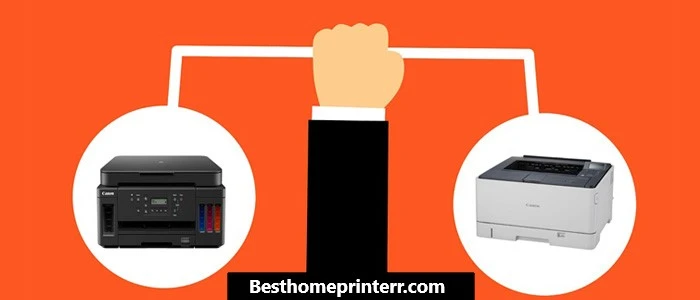
If you need sharp text documents fast and cheap, get a laser printer; if you want vivid photo prints and a lower upfront cost, go with an inkjet. That's the short answer to the inkjet vs laser printer comparison debate, but the full picture depends on your print volume, budget, and what you actually print. Whether you're outfitting a home office or a dorm room, understanding the core differences between these two technologies will save you money and frustration over the life of your machine.

Inkjet printers spray microscopic droplets of liquid ink onto paper, while laser printers use a heated toner cartridge and a precise laser beam to fuse powdered pigment onto the page. Each method carries distinct trade-offs in speed, cost per page, print quality, and maintenance demands. The right choice hinges on how you plan to use the printer day to day — not on brand loyalty or sticker price alone.
Below, you'll find a detailed breakdown covering everything from side-by-side specs to hands-on maintenance tips, so you can make a confident decision without second-guessing yourself at the checkout page.
Contents
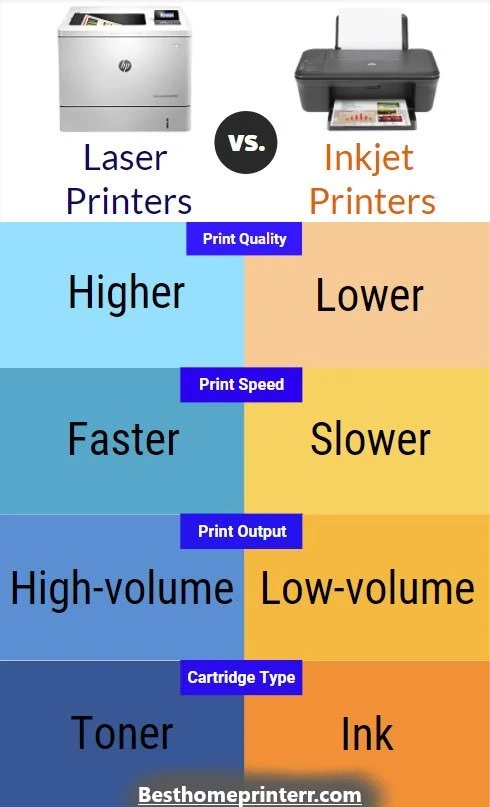
Before diving into specifics, here's a high-level look at how these two printer types stack up across the categories that matter most. This inkjet vs laser printer comparison table summarizes the key differences you'll encounter during research and daily use.
| Feature | Inkjet Printer | Laser Printer |
|---|---|---|
| Print Technology | Liquid ink droplets sprayed via nozzles | Toner powder fused by heat and laser |
| Upfront Cost | $50–$300 | $150–$500+ |
| Cost per Page (B&W) | 5–10 cents | 1–5 cents |
| Cost per Page (Color) | 15–25 cents | 8–15 cents |
| Print Speed | 5–15 pages/min | 15–40+ pages/min |
| Photo Quality | Excellent (on photo paper) | Adequate for graphics, poor for photos |
| Text Sharpness | Good | Excellent |
| Warm-Up Time | Instant | 5–15 seconds |
| Typical Cartridge Yield | 100–300 pages | 1,000–10,000+ pages |
| Size & Weight | Compact, lightweight | Bulkier, heavier |
| Best For | Photos, low-volume mixed use | High-volume documents, offices |
As the table shows, neither technology wins across the board. Your printing habits — volume, content type, and frequency — determine which column aligns with your needs.
Picking the wrong printer type can mean overspending on supplies or settling for subpar output. Here's a practical breakdown of the scenarios where each technology excels — and where it falls short.
You should avoid inkjet if you print large batches of text documents regularly. The slower speed and higher per-page cost will add up quickly.
Pro tip: If you print fewer than 50 pages a month but hate dealing with dried-out ink cartridges, a monochrome laser printer is often the most hassle-free choice — even at home.
For a deeper look at top-rated laser models, see our best laser printer guide.
Unboxing a new printer should take minutes, not hours. Follow these streamlined steps to get printing quickly and ensure your device is configured for the best possible output from day one.
Regular maintenance extends your printer's lifespan and prevents the most common print-quality complaints. The routines differ significantly between inkjet and laser, so here's what to prioritize for each.
Warning: Never use canned air to clean inside a laser printer. Compressed air scatters toner dust into ventilation components and can create a health hazard if inhaled.
Even well-maintained printers act up occasionally. Before calling support or shopping for a replacement, try these targeted fixes for the most reported issues with each printer type.
Streaky or faded prints: Run two consecutive cleaning cycles from the printer's maintenance menu. If streaks persist, remove the cartridge, gently blot the nozzle plate on a damp paper towel, reinstall, and try again.
Paper jams: Pull the jammed sheet in the direction of the paper path — never backward. Check for small torn fragments inside the rollers. If jams recur, the pickup roller may need replacing.
Slow printing: Switch your print quality setting from "Best" to "Normal" or "Draft." High-quality mode can cut speed by 50% or more. Also, ensure your Wi-Fi signal is strong if printing wirelessly — a weak connection throttles data transfer to the printer.
Colors look wrong: Run a nozzle check first. If all nozzles fire correctly, recalibrate using the printer's color alignment tool. Paper type matters too — printing on plain paper with a "glossy photo" setting produces washed-out results.
Ghost images or repeating marks: This typically points to a worn drum unit. If the marks repeat at regular intervals down the page, measure the distance between them — the drum's circumference will match. Replace the drum.
Paper curling: Excessive curl happens when the fuser temperature is too high for the paper weight. Switch to a lighter paper-type setting, or use paper rated for laser printing. Storing paper in humid conditions also causes curl.
Toner smudges that wipe off: The fuser isn't bonding toner to the page properly. Check whether the fuser is nearing its rated page count. In the short term, try reprinting on a heavier paper setting to increase fuser temperature.
"Replace toner" but prints look fine: Some printers use page-count estimates rather than actual toner measurement. You can often override the warning in the settings menu and continue printing until quality visibly declines. Consult your multifunction printer manual for model-specific instructions.
Upfront price tells only part of the story. The real expense of owning a printer shows up in the consumables — ink cartridges or toner — over months and years. Here's how the numbers play out across typical use cases.
Consider a household that prints roughly 200 pages per month, split evenly between black-and-white text and color documents. Using average cartridge yields and street prices reported by major retailers:
The trend is clear. For text-heavy printing at moderate to high volume, laser wins on running costs by a wide margin. Inkjet tank models close the gap significantly, but their upfront investment is comparable to an entry-level color laser.
Several expenses don't appear on the spec sheet but affect your total cost of ownership:
If you're comparing total cost over a three-year span, factor in consumable prices, replacement parts, and energy use — not just the sticker price. Our home printer reviews include cost-per-page estimates for each model tested to simplify the math.
Technically, yes — color laser printers can print images. However, the results lack the vibrancy, color range, and fine detail that inkjet printers achieve on dedicated photo paper. If photo printing is a priority, an inkjet with six or more ink colors delivers noticeably superior output.
Yes. Liquid ink can dry inside the nozzles within two to four weeks of inactivity, causing clogged print heads and wasted ink during cleaning cycles. Printing a test page once a week is the simplest prevention method. Tank-based inkjet models are somewhat more resistant to drying but are not immune.
For most home offices, a monochrome laser printer paired with occasional photo lab prints offers the best balance of speed, low per-page cost, and reliability. If you regularly print marketing materials or color presentations, a color laser or an inkjet tank model is worth the upgrade. See our printers category page for model-specific recommendations.
Quality varies significantly. Some third-party cartridges perform well and cost 50–70% less than OEM options. Others leak, produce inconsistent color, or damage the print head. If you go third-party, choose a brand with strong reviews and a damage guarantee. Note that using non-OEM cartridges may void your printer's warranty.
Laser printers generally have a longer operational lifespan — five to ten years or more in typical office use. Inkjet printers average three to five years, though high-end models can last longer with proper maintenance. The laser printer's simpler mechanical design and heat-based toner process contribute to its durability advantage.
Almost always. Entry-level laser printers output 15–20 pages per minute for black-and-white text, while comparable inkjets manage 5–12 pages per minute. The difference becomes pronounced on multi-page documents. For single-page prints, the gap narrows because laser printers require a brief warm-up cycle.
Both types generate waste, but in different forms. Inkjet cartridges are smaller and more frequently replaced, contributing to plastic waste. Laser toner cartridges are larger but replaced less often. Many manufacturers operate recycling programs for both. Energy consumption during printing favors inkjet (30–50 watts vs. 400–600 watts), though standby power draw is comparable.
Your ideal printer comes down to a simple formula: match the technology to your actual printing habits, not to what sounds impressive on a spec sheet. Start by estimating your monthly page count and deciding whether color or photo capability is a genuine need. Then compare three-year ownership costs — including ink or toner, replacement parts, and energy — using the figures above. Once you've narrowed it down, check our home printer reviews for hands-on testing results and pick the model that fits your desk, your budget, and the way you actually work.


About Malcolm Woods
Malcolm Woods is a technology writer and sustainability advocate with a background in consumer electronics and a long-standing interest in the intersection of technology and environmental impact. He has spent years evaluating tech products — from smartphones and smart home devices to solar-powered accessories — with a focus on real-world performance, longevity, and value. At the site, he covers tech accessory reviews, smart home gear, buying guides, and practical how-to content for everyday technology users.
Go for the FREE Gifts. Or check out for free energy books from our best collection.
Remove Ad block to reveal all the secrets. Once done, hit a button below